Clicking on your name in the left sidebar will take you to your Profile page. Your Profile page includes your personal information and settings, some of which can be edited by you.
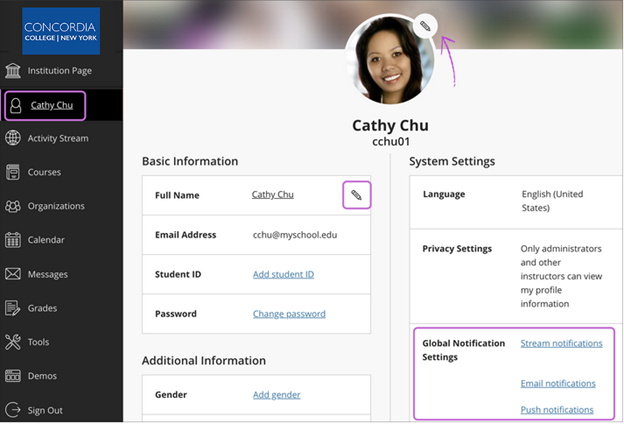
The Profile page includes basic information such as your name, email address, student ID, and the option to change your password. You can also set up Global Notifications. The avatar you select will appear on your Profile and next to your activity in your courses.
Click the pencil icon next to the information you’d like to change to edit that information. Click Done when complete.
 Concordia College - NY